

How to take better photos with your smartphone, thanks to computational photography
- Written by: Rob Layton, Senior Teaching Fellow (Journalism), Bond University
Each time you snap a photo with your smartphone – depending on the make and model – it may perform more than a trillion operations for just that single image.
Yes, you expect it to do the usual auto-focus/auto-exposure functions that are the hallmark of point-and-shoot photography.
But your phone may also capture and stack multiple frames (sometimes before you even press the button), capture the brightest and darkest parts of the scene, average and merge exposures, and render your composition into a three-dimensional map to artificially blur the background.
Read more: Robots can learn a lot from nature if they want to 'see' the world
The term for this is computational photography, which basically means that image capture is via a series of digital processes rather than purely optical ones. Image adjustment and manipulation take place in real time, and in the camera, rather than in post-production using any editing software.
Computational photography streamlines image production so everything – capture, editing and delivery – can be done in the phone, with much of the heavy lifting done as the picture is taken.
A smartphone or a camera?
What this means for the everyday user is that your smartphone now rivals, and in many cases surpasses, expensive DSLR cameras. The ability to create professional-looking photos is in the palm of your hand.

Low-light photography shot on iPhone 8 Plus. Rob Layton
I started in photography more than 30 years ago with film, darkrooms, a bagful of cameras and lens, and later the inevitable switch to DSLRs (with digital single-lens reflex, light travels through the lens to a mirror [the reflex] that sends the image to the viewfinder and flips up when the shutter is fired for the image sensor to capture the image).
But my photography now is done exclusively with an iPhone – because it’s cheaper and always with me. I have two accessory lenses, two rigs (one for underwater, the other for land), a tripod and a bunch of photography apps.
It’s the apps that often are the powerhouse of computational smartphone photography. Think of it like a hotted-up car. Apps are bespoke add-ons that harness and enhance existing engine performance. And, as with car racing, the best add-ons usually end up in mass production.
That certainly seems to be the case with Apple’s iPhone Xs. It has supercharged computational photography through its advances in low-light performance, smart HDR (High Dynamic Range) and artificial depth-of-field: this is arguably the best camera phone on the market right now.
A few months ago that title was held by the Huawei P20 Pro. Before the Huawei it was probably Google’s Pixel 2 – until the Pixel 3 came out.
The point is, manufacturers are leapfrogging each other in the race to be the best smartphone camera in an image-obsessed society (when was the last time you saw a smartphone marketed as a phone?).

Stars are discernible in this image which proves astrophotography is possible on smartphone. Rob Layton
Phone producers are pulling the rug from beneath traditional camera manufacturers. It’s a bit like the dynamic between newspapers and digital media: newspapers have the legacy of quality and trust, but digital media are responding better and faster to market demands. So too are smartphone manufacturers.
So, right now, the main areas of smartphone computational photography that you may be able to employ for better pictures are: portrait mode; smart HDR; low light and long exposure.
Portrait mode
Conventional cameras use long lenses and large apertures (openings for light) to blur the background to emphasise the subject. Smartphones have small focal lengths and fixed apertures so the solution is computational – if your device has more than one rear camera (some, including the Huawei, have three).

An image in portrait mode that shows the 3D depth map generated to control the bokeh (blur). Rob Layton
It works by using both cameras to capture two images (one wide angle, the other telephoto) that are merged. Your phone looks at both images and determines a depth map – the distance between objects in the overall image. Objects and entire areas can then be artificially blurred to precise points, depending on where on that depth map they reside.

This portrait of a young longbow archer was shot with the Halide app, the background blurred in Focos app, and final editing done in Lightroom CC for mobile. Notice the bowstring disappears in low-contrast areas on the depth map, showing limitations in a technology not yet perfected. Rob Layton
This is how portrait mode works. A number of third-party camera and editing apps allow fine adjustment so you can determine exactly how much and where to put the bokeh (the blurred part of the image, also known as depth-of-field).
Other than what’s already in a smartphone, (iOS) apps for this include Focos, Halide, ProCam6, Darkroom.
Android apps are harder to recommend, because it’s an uneven playing field at the moment. Many developers choose to stick to Apple because it is a standardised environment. That said, you may try Google Camera or Open Camera
Smart HDR
The human eye can perceive contrast far greater than cameras. To bring more highlight and shadow detail into your photo (the dynamic range), HDR (High Dynamic Range) is a standard feature on most newer smartphones.

HDR exposes for shadow and highlight details to extend the dynamic range. Rob Layton
It draws on a traditional photography technique by which multiple frames are exposed from shadows to highlights and then merged. How well this performs depends on the speed of your phone’s sensor and ISP (image signal processor).
A number of HDR apps are also available, some of which will take up to 100 frames of a single scene, but you may need to keep your phone steady to avoid blurring. Try (iOS) Hydra, ProHDRx or (Android) Pro HDR Camera.
Low-light and long exposure
Smartphones have small image sensors and pixel depth, so they struggle in low light. The computational trend among developers and manufacturers is to take multiple exposures, stack them on top of each other, and then average the stack to reduce noise (the random pixels that escape the sensors).
It’s a traditional (and manual) technique in Photoshop that’s now automatic in smartphones and is an evolution of HDR. This is how the Google Pixel 3 and Huawei P20 see so well in the dark.
It also means that long exposures can be shot in daylight (prohibitive with a DSLR or film) without risk of the image overexposing.

A three-second exposure of passing storm clouds at midday, made possible through computation. Rob Layton
In an app such as NightCap (Android, try Camera FV-5), long exposures are an averaged process, such as this (image above) three-second exposure of storm clouds travelling past a clock tower.
Light trails, such as the main image (top) of London’s Tower Bridge and these images (below) of downtown San Francisco and a fire-twirler are an additive process to capture emerging highlights.

Light Trails mode was used to capture passing traffic in this long exposure of downtown San Francisco. Rob Layton

Light Trails mode was used to capture this fire twirler at Burleigh Heads on the Gold Coast. Rob Layton
A tripod is essential unless you use Adobe’s free editing app Lightroom (iOS and Android), which has a very good camera with a long exposure feature that adds auto-alignment to its image stacking.
Read more: Want a better camera? Just copy bees and their extra light-sensing eyes
Long exposure in iPhone’s native camera app can be made by tapping the Live mode button. The iPhone records before you press the shutter, so you need to keep the camera stable before and after you take the picture. Then, in the Photos app, swipe the image up to reveal four modes: Live, Loop, Bounce and Long Exposure.
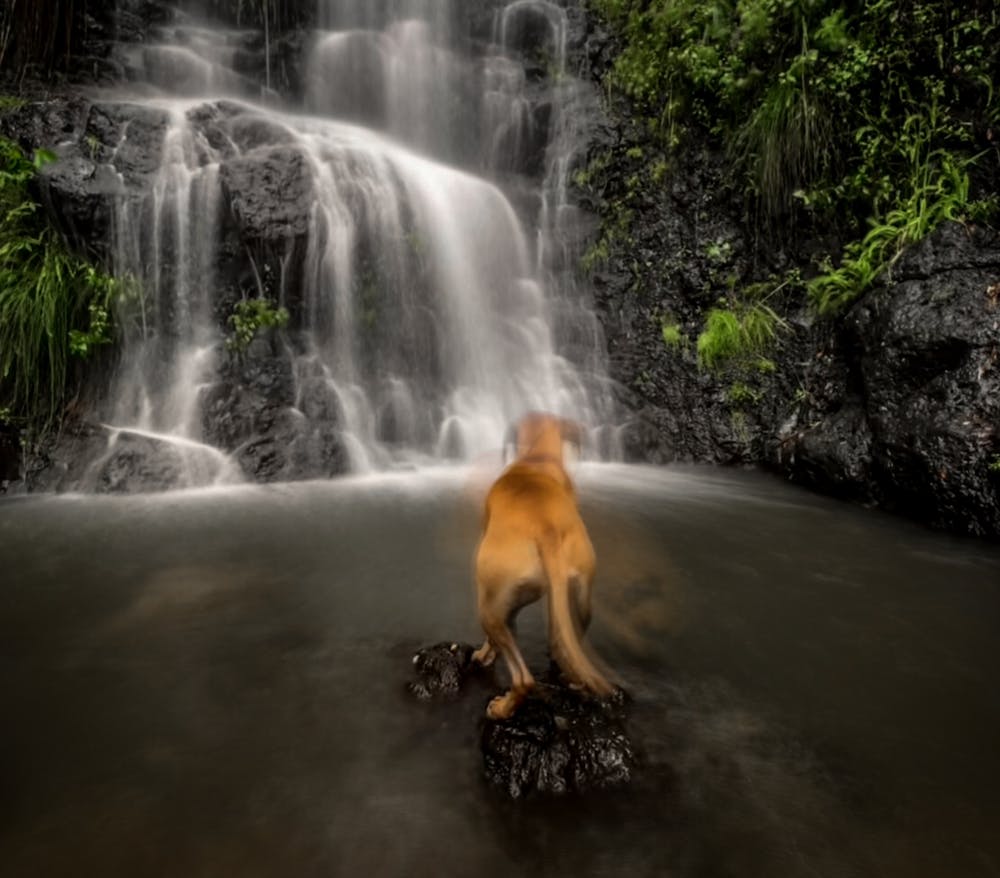
A long exposure made with iPhone’s Live photo mode. Rob Layton
The key to successful smartphone photography is to understand not just what your phone can do, but also its limitations, such as true optical focal length (although this device by Light is challenging that). However, the advances in computational photography are making this a dynamic and compelling space.
It is worth remembering, too, that smartphones are merely a tool, and computational photography the technology that powers the tool. This old adage still rings true: it is the photographer who takes the picture, not the camera. Mind you, the taking is becoming so much easier.
Happy snapping.
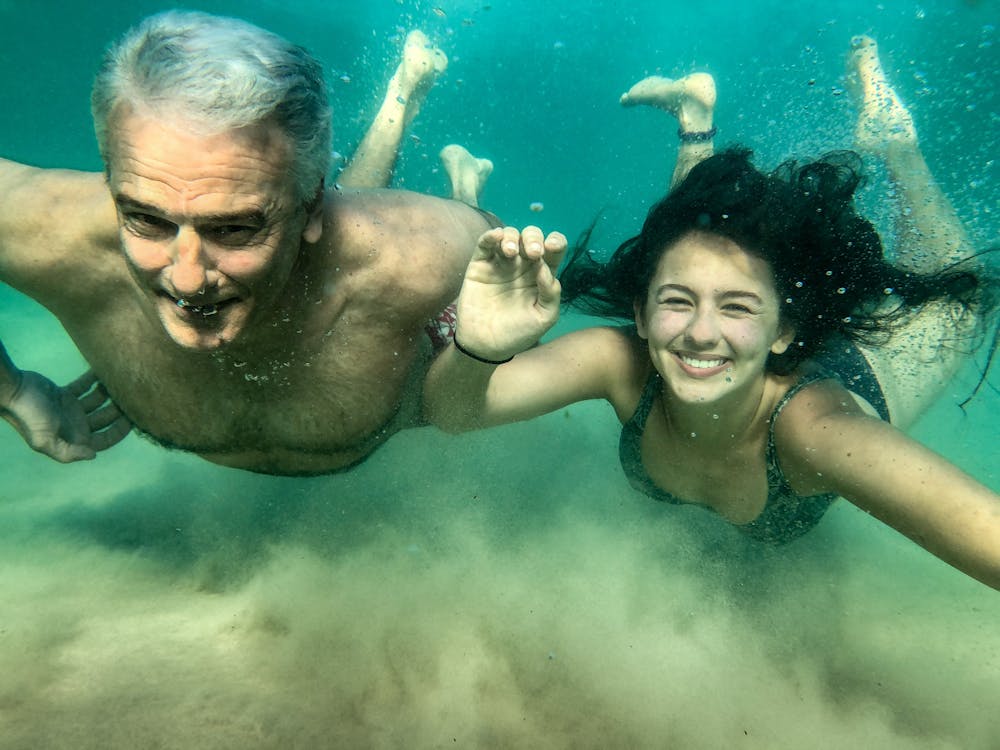
An underwater housing for iPhone (AxisGo by Aquatech) was used to capture this picture of a father and daughter swimming in the ocean. Rob Layton
Authors: Rob Layton, Senior Teaching Fellow (Journalism), Bond University


 Daily Bulletin


